
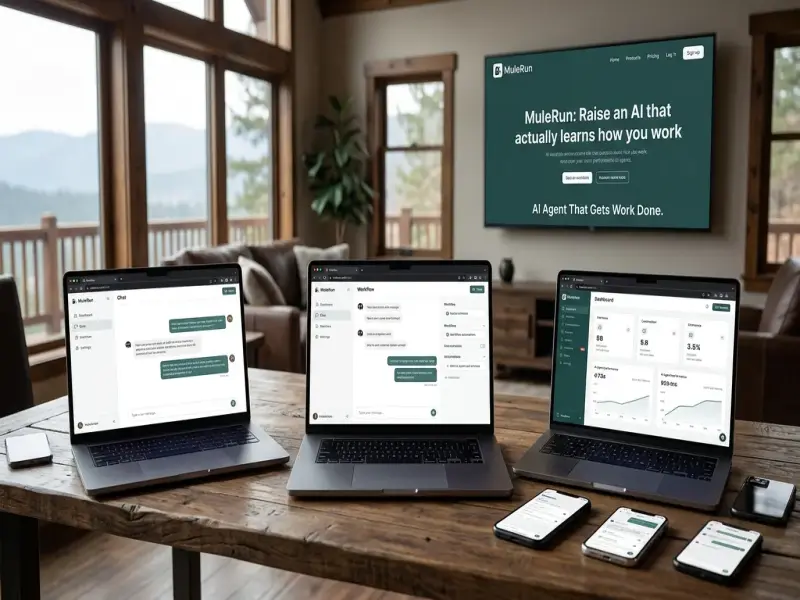
MuleRun is an AI agent platform designed to do more than provide conversational answers. It can research information, create content, analyze data, build websites, generate media, manage files and perform multi step digital tasks through an AI powered cloud environment.

Its range of tools includes Super Agent, MuleRun Computer, Pages, Drive, Knowledge,
Channels, Scheduled Tasks, Data Sources, Connector and other services that make
it useful for personal work, creative projects, research, development and
business tasks.
Introduction.
Artificial intelligence has changed the way people search
for information, create content and complete digital work. Traditional AI
assistants are generally designed to answer questions or generate text. MuleRun takes a different approach by focusing
on AI agents that can plan tasks, use digital tools and work through multiple
steps to produce a finished result.
MuleRun is an
online AI agent platform built around this idea. Instead of asking a user to
operate several separate applications, the platform gives an AI agent access to
a broader digital working environment. The user can describe a goal in natural
language and the agent can determine the steps required to complete that goal.
This makes MuleRun relevant to
a wide range of users. Writers can use it for research and content creation.
Developers can use it for coding and website projects. Businesses can use it
for data analysis and repetitive digital workflows. Creative users can work
with images, video, audio and interactive projects.
MuleRun describes
its main product as Super Agent. The platform also provides a cloud computer,
file storage, knowledge features, scheduled tasks, communication channels and
tools for building and publishing digital projects.
What Is MuleRun.
MuleRun is an AI
agent platform designed to automate knowledge work and digital tasks. Its main
difference from a basic chatbot is that the system can use tools while working
on a task.
According to MuleRun documentation,
Super Agent can work with browsers, editors, image generation, databases and
other tools. This allows a task to move from planning to execution and finally
to delivery.
For example, a user could ask an agent to research a topic
and prepare a report. Instead of simply providing a few paragraphs, an agent
can organize information, work with files and create a structured output.
The same approach can be applied to website development,
data analysis, content creation and other digital projects.
The platform is particularly interesting because the working
environment is not limited to a single conversation window. MuleRun Computer provides a cloud based
computer environment that can continue running tasks even when the user is not
actively watching the browser.
How MuleRun Works.
The basic experience starts with natural language. Users
describe what they want instead of manually configuring a complex automation
workflow.
The agent then interprets the request and can divide it into
smaller tasks. Depending on the project, it can select appropriate skills and
tools before producing the final result.
A typical workflow can include several stages.
Understanding the users objective.
Breaking a complex request into smaller steps.
Selecting appropriate tools and skills.
Researching information when required.
Creating or editing files.
Running code when necessary.
Building digital content or applications.
Checking the output.
Delivering the finished result.
This workflow is useful for tasks where the final result
involves more than generating text.
MuleRun Super
Agent.
Super Agent is the central entry point for MuleRun and is designed for a broad range of
digital work. It can be used for research, writing, analysis, planning and
automation.
For content professionals, Super Agent can help organize
research and prepare articles, reports, presentations and other documents.
For business users, it can assist with competitor research,
ecommerce research and data analysis.
For developers and creators, it can help generate websites,
landing pages, interactive applications and other digital experiences.
The important point is that Super Agent is designed around
completing tasks rather than simply responding to questions.
MuleRun Computer.
MuleRun Computer is
the cloud computing environment that supports the platforms longer running
activities. It provides the agent with a virtual computer environment where it
can work with files, browsers and software tools.
This is one of the more practical parts of the platform
because some digital tasks require time. A website may need several development
steps. A research project may require collecting and organizing information. A
data project may involve processing files before creating the final report.
MuleRun describes
its cloud computer as an environment that can continue running around the
clock. This gives the platform a different approach from AI tools that mainly
operate during an active browser session.
For users working on larger projects, persistent computing
can make AI automation more useful.
Website and Application Creation.
One of MuleRuns notable capabilities is its ability to
create websites and web applications from natural language instructions.
A user can describe a website concept and ask the agent to
build it. The agent can write the required code, preview the result, make
changes and deploy the finished page.
MuleRun documentation
lists website development, landing pages, games and portfolios among the types
of projects that the platform can generate.
This can be useful for people who have an idea but do not
want to begin by setting up a development environment.
The platform also provides Pages for publishing agent built
websites, games, H5 pages and portfolios as live URLs.
Pages.
Pages is MuleRuns publishing feature for digital projects.
It allows users to turn AI generated work into live web experiences.
This can include a landing page, portfolio, interactive
project or small web application.
The feature makes the process more practical because
creating a website is only one part of a web project. The final result also
needs to be available somewhere that people can access.
For creators, this makes Pages relevant to experiments,
prototypes, personal projects and business presentations.
Drive.
Drive provides unified storage for files generated by MuleRun agents. The platform can work with
documents, spreadsheets, presentations, PDFs and other digital files.
A central file environment is useful when a project produces
multiple outputs.
For example, a research task might generate source
information, a written report and a presentation. Keeping these outputs
together makes the overall workflow easier to manage.
Knowledge.
Knowledge is another important part of the MuleRun platform. It connects the agent with
skills and knowledge resources that can improve how tasks are handled.
MuleRun describes
its Knowledge system as part of a broader network of skills and knowledge that
can power Super Agent. Users can also save their own knowledge for future use.
This is particularly useful for repeated workflows.
A business could maintain information about its preferred
processes. A content creator could keep writing guidelines. A technical user
could maintain project documentation.
The goal is to make the agent more useful when working
repeatedly on related tasks.
Scheduled Tasks.
Not every task needs to happen immediately. MuleRun provides Scheduled Tasks for one time,
recurring and interval based activities.
This feature can be useful for routine digital work.
Examples include regular research, recurring reports,
scheduled content preparation and other tasks that follow a predictable
schedule.
Automation becomes more valuable when the user does not have
to remember to start the same process every time.
Channels and Communication.
MuleRun also
provides Channels that allow agents to connect with communication platforms.
Its documentation lists Telegram, Discord, Feishu, WeChat and WhatsApp among
supported channels.
This can make an AI agent easier to access during everyday
work.
Instead of opening a separate platform for every request,
users can interact with their agent through communication environments they
already use.
For organizationsMuleRun MuleRun also provides Messages as an AI native
team chat feature where agents can participate as members.
Data Sources.
AI work often depends on current information. MuleRun provides Data Sources that connect
agents with third party data covering areas such as financial markets,
ecommerce and social sentiment.
This expands the range of research and analysis tasks that
an agent can perform.
For example, a user researching a market can benefit from
structured data instead of relying only on general text generation.
Connector.
Connector allows the agent to work with a users browser and
external accounts when authorized. This is important for tasks that require
interaction with external services.
Browser based work can involve navigation, information
collection and other actions that are difficult for a text only assistant to
perform.
The practical value of this feature depends on the accounts,
permissions and services connected by the user.
Toolbox.
Toolbox acts as a central launcher for the tools available
to the agent. Instead of manually switching between different utilities, the
agent can select the tools required for a particular task.
This supports the wider MuleRun concept of giving an AI agent a working
environment rather than a simple question and answer interface.
MuleRun CLI.
For technical users, MuleRun also
provides a command line interface. The CLI can provide access to multimodal
generation, coding capabilities and terminal control of sessions, Computer,
Drive and Pages.
This makes MuleRun relevant to
developers who prefer working from a terminal while still using the platforms
broader AI capabilities.
AI Agent Marketplace and Agent Categories.
MuleRun has also
developed an AI agent marketplace where users can discover specialized agents
created for different purposes.
MuleRuns marketplace materials describe categories including
Video and Image, Work and Productivity, Personal, Investment, Game and Writing.
These categories show how AI agents can be designed around
specific use cases rather than one general purpose conversation.
A writing agent may focus on SEO content. A visual agent may
specialize in image or video generation. A productivity agent may focus on
repetitive office tasks.
This specialized approach can be useful when users need a
particular type of workflow.
Best MuleRun Products
and Features Compared.
The following comparison summarizes the major MuleRun offerings and their practical purpose.
| MuleRun Offering |
Main Purpose | Suitable For | Key Benefit |
| Super Agent | AI powered task execution | Research writing
analysis and automation | Handles multi step digital work |
| MuleRun Computer |
Cloud computer environment | Long running tasks and browser work | Provides
persistent computing |
| Pages | Website and project publishing | Creators
developers and businesses | Turns projects into live pages |
| Drive | File storage | All users | Keeps generated files
organized |
| Knowledge | Skills and knowledge management | Repeated
workflows | Supports consistent task handling |
| Scheduled Tasks | Automated scheduling | Routine work |
Runs tasks at selected times |
| Channels | AI access through messaging | Individuals and
teams | Connects agents with communication apps |
| Data Sources | External data access | Research and
analysis | Supports data based workflows |
| Connector | Browser and account interaction | Digital
automation | Helps agents work with external services |
| Toolbox | Tool access | General AI work | Brings useful
tools into one environment |
| MuleRun CLI |
Terminal based control | Developers | Supports technical workflows |
Design and User Experience.
MuleRun is designed
around natural language interaction. Users do not need to begin with
complicated workflow diagrams or extensive configuration for many tasks.
The chat based interface provides a straightforward starting
point. A user explains the objective and the agent handles the underlying
process.
The wider design is centered on bringing several
capabilities together.
Research.
Writing.
Coding.
Data analysis.
Media generation.
File creation.
Website development.
Browser interaction.
Automation.
Publishing.
This broad approach is what gives MuleRun its identity as an AI agent platform
rather than a single purpose content generator.
Practical Benefits of MuleRun.
MuleRun can be
useful in different situations because its capabilities cover several areas of
digital work.
For professionals.
Research can be organized into structured
reports.
Repetitive digital tasks can be automated.
Presentations and documents can be prepared
more quickly.
Data can be processed and presented in useful
formats.
For creators.
Articles and written content can be developed
from research.
Images and videos can be generated.
Websites and portfolios can be created.
Interactive projects can be produced.
For developers.
Code can be generated and tested.
Web applications can be built.
Terminal based workflows can be controlled
through the CLI.
Projects can be deployed through Pages.
For businesses.
Ecommerce research can be supported.
Competitor information can be organized.
Recurring reports can be scheduled.
Agents can connect with selected external
services.
Everyday Use Cases.
The usefulness of an AI platform is often determined by how
easily it fits into everyday work.
A writer could ask MuleRun to research
a topic, organize the findings and prepare a complete article.
A small business owner could ask it to analyze a spreadsheet
and create a visual report.
A developer could describe a web application and ask the
agent to build and publish a working version.
A creator could develop a portfolio website and publish it
through Pages.
A team could connect an agent to communication channels and
use it for recurring tasks.
These examples demonstrate why agent based AI can be
different from conventional chat based AI. The focus is on completing a
workflow rather than producing a single response.
Quality and Technical Approach.
MuleRuns technical approach is based on combining an AI
agent with skills, knowledge and a runtime environment.
Its skills system allows capabilities to be extended through
instructions, scripts, templates and reference material. The platform can
discover relevant skills, activate them when appropriate and execute the
required workflow.
This architecture matters because complex tasks rarely
require only one capability.
Building an interactive website may require coding, design,
testing and deployment.
Preparing a business report may require research, data
processing, document creation and presentation.
A multi step agent can coordinate these activities instead
of requiring the user to manage every stage manually.
Who Can Benefit From MuleRun.
MuleRun is
potentially useful for anyone whose work depends heavily on digital tasks.
Content writers can use it for research and writing.
Researchers can use it to organize information and create
reports.
Developers can use it for coding and application
development.
Entrepreneurs can use it for prototypes and business
research.
Designers and creators can use it for media and web
projects.
Teams can use connected agents for selected workflows.
Students and individual users can also use AI agents for
research, organization and creative projects, provided they verify important
information before relying on the results.
MuleRun Compared
With Traditional AI Assistants.
The most important difference is the level of action.
A traditional AI assistant generally waits for a prompt and
returns an answer. An agent platform is designed to take a goal and work
through multiple steps.
MuleRun describes
this distinction as moving from AI that talks about work toward AI that
actually performs work. Its agent can access a computing environment, browser
capabilities, files, APIs and specialized skills.
This does not mean every task will be completed perfectly
without supervision. Complex projects can still require human review.
However, the combination of reasoning, tools and persistent
computing creates a more task oriented AI experience.
What Makes MuleRun Different.
Several parts of the platform work together to create its
overall experience.
The Super Agent provides the main interaction layer.
MuleRun Computer
provides a persistent cloud environment.
Skills extend the agents capabilities.
Knowledge can preserve useful information and workflows.
Drive stores generated files.
Pages publishes web projects.
Scheduled Tasks support recurring work.
Channels bring agents into communication platforms.
Connector enables selected external interactions.
Data Sources support research and analysis.
CLI provides technical control.
Together these offerings create a broader digital work
environment.
Conclusion.
MuleRun represents
an approach to artificial intelligence that focuses on action rather than
conversation alone. Instead of limiting AI to answering questions, the platform
provides agents with tools and computing resources that allow them to research,
create, analyze, code, publish and automate digital work.
Its central Super Agent is supported by a wider collection
of services including MuleRun Computer,
Pages, Drive, Knowledge, Scheduled Tasks, Channels, Data Sources, Connector,
Toolbox and MuleRun CLI.
The platform also extends beyond general purpose assistance
through specialized AI agents and marketplace categories covering areas such as
writing, productivity, visual media, personal tasks, investment and games.
For users who regularly handle digital projects, the most
interesting part of MuleRun is the way
these capabilities can work together. A single objective can involve research,
writing, coding, file creation and publishing, and an agent can coordinate
those stages inside one broader environment.
MuleRun is
therefore best understood not simply as an AI chatbot but as an online AI agent
platform built for completing digital tasks. Its value comes from combining
natural language instructions with tools, cloud computing, knowledge, skills
and automation.
As AI continues moving from answering questions toward
performing practical work, platforms such as MuleRun show how an AI assistant can become a
more active part of everyday digital workflows.
Frequently Asked Questions.
What is MuleRun.
MuleRun is an
online AI agent platform designed to perform multi step digital tasks. It can
support research, writing, coding, data analysis, website development, media
creation and automation.
What is MuleRun Super
Agent.
Super Agent is the main AI interface within MuleRun. It is
designed to handle tasks involving research, writing, analysis, planning,
automation and various digital tools.
What is MuleRun Computer.
MuleRun Computer is
a cloud based computer environment used by MuleRun agents. It supports longer running
tasks and provides access to computing resources, browser activity and files.
Can MuleRun create
websites.
MuleRun Yes. MuleRun can create websites and web
applications from natural language instructions. Its Pages feature can be used
to publish agent built websites, games, H5 pages and portfolios.
Can MuleRun help with
SEO content.
MuleRun can assist
with research, writing and content related workflows. Users can provide
detailed requirements for an article and ask the agent to research information
and produce structured content.
Can MuleRun analyze
data.
Yes. Data analysis is one of the use cases supported by Super
Agent. MuleRun also provides Data Sources for
certain types of external information.
Does MuleRun support
automation.
Yes. Scheduled Tasks support one time, recurring and
interval based tasks. MuleRun Computer
can also support longer running workflows.
Can MuleRun work with
messaging platforms.
MuleRun provides
Channels that connect agents with services including Telegram, Discord, Feishu,
WeChat and WhatsApp.
What types of files can MuleRun create.
MuleRun can produce
documents, spreadsheets, presentations, PDFs, images, audio and video depending
on the task and available tools.
Is MuleRun useful for
developers.
Yes. Developers can use MuleRun for coding, website development, web
applications and terminal based workflows. The MuleRun CLI provides technical control over
supported sessions and services.
What is MuleRun Pages.
Pages is the publishing component of MuleRun. It allows
users to publish websites, games, H5 pages and portfolios created by agents.
What is MuleRun Drive.
Drive is the platforms unified storage area for files
produced by agents. It helps keep project outputs together.
What is MuleRun Knowledge.
Knowledge provides access to skills and knowledge that can
support Super Agent. Users can also save their own knowledge for future
workflows.
Is MuleRun only for
businesses.
No. MuleRun can be used
for professional, creative, technical, research and personal digital tasks. The
appropriate use depends on the users requirements and the tools needed for the
project.
Why are AI agents different from normal chatbots.
A chatbot primarily generates responses. An AI agent can
plan a task, select tools, perform actions and deliver an output. MuleRun is built around this more action
oriented model.