
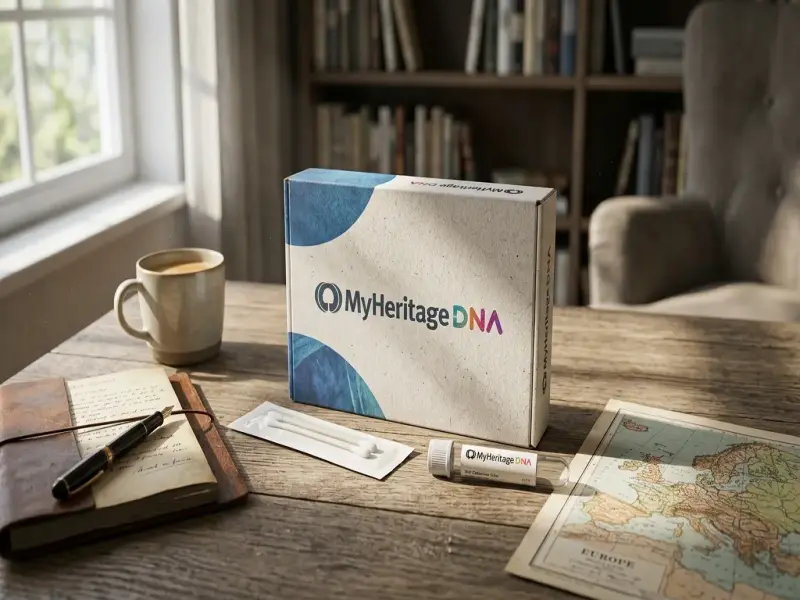
MyHeritage is a
family history platform that combines family trees. Historical records. DNA
testing. Photo preservation. And digital genealogy tools in one service. Its
main offerings help people research ancestors. Organize family information.
Discover relatives. Restore old photographs. And preserve family memories for
future generations.

Introduction
Family history research has changed significantly with the
growth of digital genealogy services. Instead of relying only on paper
documents. Local archives. And handwritten family notes. People can now build
detailed family trees. Search historical databases. Compare DNA results.
Digitize photographs. And organize family memories through online platforms.
MyHeritage is one
of the established names in this field. The platform brings several parts of
genealogy together. Its core services include online family trees. Historical
records. MyHeritage DNA. Photo tools. The Reimagine
app. LiveMemory. And Family Tree Builder software. The company also provides
matching technologies that can connect information in a users family tree with
records and other family trees.
The appeal of MyHeritage is not
limited to experienced genealogists. Someone beginning with the names of a few
grandparents can gradually build a much larger family history. More experienced
researchers can use records. Matching tools. Documents. Photographs. And DNA
results as additional sources for investigating family connections.
What Is MyHeritage
MyHeritage is an
online genealogy and family history platform designed to help people discover.
Organize. Preserve. And share information about their families.
The service combines several types of information in one
environment. A family tree can contain names. Dates. Relationships.
Photographs. Stories. Documents. And other details. Once information is added. MyHeritage can search for potential connections
through its matching technologies and historical record collections.
The platform also extends beyond traditional genealogy
research. Its photo tools are designed for restoring and improving older
photographs. Its DNA service provides ethnicity estimates and DNA matches. Its
mobile applications provide ways to work with family information while away
from a desktop computer.
This broad collection of tools makes MyHeritage relevant to several different types
of users.
• Beginners who want to create their first family tree.
• Genealogists who need additional historical sources.
• Families who want to organize photographs and documents.
• People interested in genetic genealogy.
• Users who want to preserve old family photographs
digitally.
MyHeritage Family Tree
The family tree is the central part of the MyHeritage experience. Users can start with
information they already know and gradually add parents. Grandparents. Great
grandparents. Children. Siblings. Partners. And more distant relatives.
A useful family tree is more than a collection of names.
Users can attach dates. Places. Photographs. Historical documents. And personal
details to individual profiles. This gives each person a stronger historical
context.
The online tree is also designed for collaboration. Family
members can contribute information and help identify people in photographs or
documents.
Smart Matches
Smart Matches are one of the important research features
available through MyHeritage. The technology looks for similarities between
people in one family tree and profiles in other family trees. A possible match
can provide a lead to another branch of a family.
A match should still be checked carefully. Names can be
shared by unrelated people. Dates can be incorrect. And family trees created by
other researchers may contain mistakes. Good genealogy practice involves
comparing information with original records and other reliable sources.
Record Matches
Record Matching works in a similar way with historical
records. MyHeritage can identify records that may
correspond to people already entered into a family tree.
These potential matches can help researchers locate
documents that might otherwise be difficult to find. Depending on the
collection. Records can include births. Marriages. Deaths. Census information.
Newspapers. And other historical material.
Instant Discoveries
Instant Discoveries can help users expand a tree when MyHeritage identifies relevant information in
other family trees and photographs. Person Discoveries can add people. While
Photo Discoveries can provide photographs associated with individuals already
present in a tree.
This can be particularly useful when a researcher has
reached a point where the available family information is limited.
MyHeritage Historical
Records
Historical records are another major part of the platform. MyHeritage describes its search engine as a
genealogy focused database containing billions of records from around the
world. The available collections cover many different types of documents and
continue to change as new collections are added.
Historical records can help transform a basic family tree
into a documented research project.
Useful record categories can include.
• Birth records.
• Marriage records.
• Death records.
• Census records.
• Immigration and travel records.
• Historical newspapers.
• Other archival documents.
Old records often contain information that cannot be found
in modern family documents. A census entry might reveal a household structure.
A marriage record can provide names of parents. A newspaper article may give
context about an event in an ancestors life.
The quality of genealogy research depends on how carefully
these sources are interpreted. A historical record is evidence. It is not
automatically proof that every detail is correct.
MyHeritage DNA
MyHeritage DNA is
the brands genetic genealogy offering. The DNA test is designed to help users
discover genetic relatives and learn more about their ancestral background. MyHeritage currently describes its DNA results
around two major areas. Ethnicity estimates and DNA matches.
An ethnicity estimate provides a breakdown of genetic
ancestry based on the reference populations used by the service. DNA matching
looks for people who share significant amounts of DNA and may therefore be
relatives.
DNA results can complement traditional genealogy. A family
tree may suggest a relationship. A historical record may provide documentation.
A DNA match can offer another type of evidence.
Practical Uses Of DNA Testing
MyHeritage DNA can
be useful for several research situations.
• Identifying previously unknown relatives.
• Supporting suspected family relationships.
• Finding connections across countries.
• Adding genetic evidence to traditional genealogy research.
• Providing additional clues when documentary research
reaches a dead end.
DNA results should be treated as one source of evidence
rather than a replacement for historical research.
MyHeritage Photo
Tools
Family photographs are an important part of genealogy
because they preserve visual information that documents may not contain.
Unfortunately. Older photographs can fade. Develop scratches. Lose contrast. Or
become damaged over time.
MyHeritage provides
several tools intended to help preserve and improve these photographs. The
current collection includes photo enhancement. Colorization. Repair. Animation.
And other AI based photo features.
MyHeritage In Color
MyHeritage In Color
is designed to colorize black and white photographs and restore color in older
images.
Colorization can make historical photographs easier for
modern family members to engage with. However. A colorized image is an
interpretation rather than an original historical color photograph. For serious
family history work. Keeping the original image alongside the enhanced version
is therefore important.
Photo Enhancer
The Photo Enhancer is intended to improve the visual quality
of older or lower quality images. It can make faces and other details appear
sharper.
This can be useful when a family photograph contains an
important person whose facial details are difficult to see in the original.
Photo Repair
Photo Repair focuses on physical damage such as scratches.
Tears. Holes. Stains. And similar defects. MyHeritage states that the original photograph
remains intact and that the repair is applied to a separate copy.
This approach is useful for preservation because the
original digital scan can remain available for comparison.
Deep Nostalgia
Deep Nostalgia is a photo animation feature that creates
short animations from faces in still photographs. The technology can create
movements such as blinking. Smiling. And turning the head.
The feature is particularly suited to old portraits where a
single face is the main subject.
Reimagine Photo Scanner And App
Reimagine is MyHeritages dedicated photo scanning and
enhancement application. It is designed to help users digitize photographs and
then work with them using photo restoration tools.
One useful function is its ability to scan entire album
pages and automatically detect and crop individual photographs. The application
also provides tools for enhancement. Colorization. Repair. And animation.
This makes Reimagine practical for families with boxes or
albums containing large numbers of old prints.
Instead of treating every photograph as an isolated file.
Users can gradually turn a physical collection into a searchable digital
archive.
LiveMemory
LiveMemory is another photo based feature from MyHeritage.
It transforms still photographs into short video clips. The feature can
automatically reenact a scene or allow users to choose certain animation
effects.
LiveMemory is different from Deep Nostalgia in its broader
approach. Deep Nostalgia focuses primarily on animating faces. LiveMemory can
animate an entire scene and can also work with photographs containing subjects
such as pets or vehicles.
For families. This can provide a different way of
experiencing historical photographs while keeping the original still image
available.
Family Tree Builder
Family Tree Builder is MyHeritages free desktop genealogy
software. It is designed for creating and managing detailed family trees and
can work with photographs. Historical records. Charts. Reports. And other
family history information.
The software can be especially useful for researchers who
prefer working with a dedicated desktop genealogy application.
Users can also synchronize compatible projects with their MyHeritage family site. This creates a
connection between desktop research and the online family history environment.
It is worth noting that MyHeritage has changed its Mac support for
Family Tree Builder. The company currently recommends continuing family tree
work through the family site for newer Mac operating systems.
Other MyHeritage Genealogy
And Research Features
MyHeritage offers
more than the main family tree. DNA. Records. And photo products.
The wider collection includes several research and family
history features.
• Record Detective can help connect information from related
historical records.
• Search Connect can help researchers identify other people
searching for the same names or historical subjects.
• Search Alerts can provide notifications about relevant
search developments.
• OldNews provides access to historical newspaper research
as part of eligible subscription offerings.
• Family Infographics provide visual ways to present family
information.
• Charts and Family Books can turn family history
information into more structured keepsakes.
• The Consistency Checker can help identify possible issues
within a family tree.
• Photo Discoveries can identify photographs that may belong
to people already included in a tree.
• Person Discoveries can suggest people who may extend an
existing family tree.
• Cousin Finder can help users explore potential cousin
relationships.
• AI Biographer and Scribe AI are additional tools listed
within the current MyHeritage genealogy
feature collection.
Together. These features show that MyHeritage is not limited to a single genealogy
product. It is a collection of connected research and preservation tools.
MyHeritage Product
Comparison
Product or category Main
purpose Useful for Key characteristics
Family Tree Organizing
family relationships Beginners and
genealogists Names. Dates. Photos.
Stories. Documents
Historical Records Finding
documentary evidence Genealogy research Births. Marriages. Deaths. Census
records. Newspapers
MyHeritage DNA Genetic genealogy Relative discovery and ancestry
research Ethnicity estimates
and DNA matches
Photo Enhancer Improving
image clarity Old or blurry photographs Sharper visual details
MyHeritage In Color Colorizing photographs Black and white family images Colorization and color restoration
Photo Repair Restoring
damaged photographs Scratched
or damaged images Repairs scratches.
Tears. Stains. And other damage
Deep Nostalgia Animating
faces Portrait photographs Facial movement and short animations
Reimagine Scanning
and improving photos Large physical photo
collections Album scanning. Cropping.
Enhancement. Repair. Colorization
LiveMemory Animating
complete scenes Family memories and
photographs Short video creation
from still images
Family Tree Builder Desktop
genealogy Detailed family history
projects Tree management. Photos. Records.
Charts. Reports
Best Selling And Most Used MyHeritage Products
MyHeritage does not
present a conventional retail product ranking in the same way that a physical
store might rank best sellers. Its principal products and services are instead
centered on family history activities.
Among the most prominent offerings are the MyHeritage family tree. Historical records
search. MyHeritage DNA. Photo tools. Reimagine.
LiveMemory. And Family Tree Builder. These products appear throughout the
companys current website and help center.
The best choice depends on what a person wants to
accomplish.
Someone starting genealogy may benefit most from the family
tree and historical record search.
Someone researching biological relatives may be more
interested in MyHeritage DNA.
Someone with boxes of family photographs may find Reimagine
and the photo tools more relevant.
Someone who already maintains a detailed family tree may
prefer Family Tree Builder and the broader research features.
Design And Practical Functionality
The design of MyHeritage is based
around connected information rather than isolated tools. A family tree provides
the structure. Historical records add evidence. DNA provides genetic
information. Photographs add visual context. And photo preservation tools help
maintain those visual records.
This interconnected approach can make a long term family
history project easier to organize.
A practical workflow might look like this.
• Begin with the relatives and information already known.
• Build the basic family tree.
• Add photographs and documents.
• Review Smart Matches and Record Matches.
• Search historical records to verify important details.
• Use DNA results as additional evidence when appropriate.
• Digitize physical photographs with Reimagine.
• Repair or enhance damaged photographs.
• Add relevant images and information to the family tree.
• Share selected family history material with relatives.
Durability And Long Term Family Preservation
For genealogy products. Durability is less about physical
materials and more about the long term preservation and organization of digital
information.
A physical photograph can deteriorate through exposure to
light. Humidity. Handling. And age. A digital copy provides an additional layer
of preservation.
MyHeritage photo
tools are designed to create improved copies while retaining the original
photograph. This is particularly important for historical images because
restoration should not eliminate the source material.
The same principle applies to genealogy research. A family
tree becomes more valuable when important facts are supported by sources.
Researchers should preserve original documents and record where information
came from whenever possible.
Everyday Uses For Families
MyHeritage can fit
into everyday family life in several practical ways.
Parents can introduce children to grandparents and earlier
generations through a visual family tree.
Families can organize old photographs and identify people
who might otherwise become forgotten.
Researchers can investigate family movements between cities
and countries.
Relatives living in different parts of the world can
contribute information to a shared family history project.
Old photographs can be repaired and improved before being
included in a digital family archive.
Family history can also become a way of preserving stories
that would otherwise disappear as older relatives pass away.
Privacy And Ownership Considerations
Family history often involves information about living and
deceased relatives. Privacy should therefore be considered alongside
convenience.
MyHeritage states
that users have control over family site privacy settings and that the company
does not sell email addresses or disclose user information to third parties.
The company also states that users retain ownership of
photographs uploaded to LiveMemory and that MyHeritage does not license or sell those
photographs to third parties or use them to train internal AI models.
Users should still review the current privacy settings and
terms before uploading sensitive family information.
Who Should Consider MyHeritage
MyHeritage can be
suitable for people with very different levels of genealogy experience.
It can work well for beginners because the initial family
tree can be created from basic information.
It can also serve experienced researchers who want access to
a large historical record collection and automated matching technologies.
Photographers and family archivists may be more interested
in the photo restoration and scanning tools.
People interested in genetic genealogy may prefer the DNA
service.
The platform is therefore broad enough to support a family
history project from its earliest stages through more advanced research.
Product Quality And Craftsmanship
In a digital service such as MyHeritage. Product quality is
primarily reflected in the organization of information. Ease of use. Research
tools. Image processing. And the ability to connect different forms of family
evidence.
The family tree provides the foundation.
Historical records provide documentary material.
DNA adds genetic evidence.
Photo tools preserve visual memories.
Desktop and mobile applications provide different ways to
access the information.
The strongest part of this structure is the way these
elements can complement each other. A photograph can identify a person in a
family tree. A historical record can confirm a date. A DNA match can suggest a
biological connection. A family story can provide context that no database can
capture.
Conclusion
MyHeritage is best
understood as a broad family history platform rather than a single genealogy
product. Its collection covers family trees. Historical records. DNA testing.
Photo scanning. Photo restoration. Photo enhancement. Colorization. Animation.
Desktop genealogy software. And newer AI based family history features.
The family tree remains the starting point for many users.
Historical records can provide documentary evidence. Smart Matches and Record
Matches can suggest new research directions. MyHeritage DNA can add genetic information.
Reimagine can help digitize physical photographs. Photo Repair. Photo Enhancer.
MyHeritage In Color. Deep Nostalgia. And
LiveMemory provide different ways to preserve and revisit visual memories.
For someone beginning a family history project. The most
useful approach is usually to start with information that is already known.
Build the tree carefully. Add sources. Preserve original photographs. And treat
automated matches and DNA results as evidence that should be evaluated
alongside historical records.
Used in that way. MyHeritage provides
a practical collection of tools for turning scattered names. Documents.
Photographs. Stories. And genetic clues into a more organized family history
that can be preserved for future generations.
Frequently Asked Questions
What is MyHeritage used
for.
MyHeritage is used
for genealogy and family history research. People can build family trees.
Search historical records. Explore DNA matches. Preserve photographs. And
connect family information in one online environment.
Is MyHeritage a DNA
testing service.
Yes. MyHeritage offers
an autosomal DNA test for genetic genealogy. Results include an ethnicity
estimate and DNA matches with potential relatives.
Can I build a family tree on MyHeritage.
Yes. Users can create an online family tree and add names.
Dates. Photographs. Stories. Documents. And other information about relatives.
Does MyHeritage have
historical records.
Yes. MyHeritage provides
a large international collection of historical records. The available material
includes categories such as birth. Marriage. Death. Census. Newspaper. And
other archival records.
What is MyHeritage In
Color.
MyHeritage In Color
is a photo tool designed to colorize black and white photographs and restore
color in older images.
What is Photo Repair.
Photo Repair is a MyHeritage tool
designed to repair scratches. Tears. Holes. Stains. And other damage in
historical photographs. The original image remains intact while the repair is
applied to a separate version.
What is Deep Nostalgia.
Deep Nostalgia is a MyHeritage photo animation feature that can
animate faces in still photographs. It can create movements such as blinking.
Smiling. And turning the head.
What is Reimagine by MyHeritage.
Reimagine is a photo scanning and enhancement application.
It can scan album pages. Detect individual photographs. Crop them. And provide
tools for enhancement. Colorization. Repair. And animation.
What is LiveMemory.
LiveMemory is a MyHeritage feature
that transforms still photographs into short video clips. It can recreate a
scene or apply selected animation effects.
Does MyHeritage have
desktop genealogy software.
Yes. Family Tree Builder is MyHeritages free desktop
genealogy software. It supports detailed family trees. Photos. Historical
records. Charts. Reports. And synchronization with the online family site.
Can MyHeritage help
find relatives.
Yes. Family tree matching and DNA matching can both help
identify potential relatives. Smart Matches compare information between family
trees. DNA Matches identify people who share genetic material.
Is MyHeritage suitable
for beginners.
Yes. A user can start with basic information about parents
and grandparents and expand the family tree over time. Automated matches and
historical record searches can then provide additional research leads.
Should MyHeritage matches
be treated as confirmed facts.
No. Matches are research leads and should be evaluated
against dates. Locations. Relationships. Original documents. And other
evidence. Careful source checking remains an important part of reliable
genealogy.
Can old family photographs be preserved with MyHeritage?
Yes. Users can digitize photographs and use tools for
enhancement. Colorization. Repair. And animation. Reimagine is specifically
designed for scanning and improving physical family photographs.
What types of products and services does MyHeritage offer.
The current MyHeritage collection
includes family trees. Historical records. DNA testing. Family Tree Builder.
Photo enhancement. Photo colorization. Photo repair. Deep Nostalgia. Reimagine.
Live Memory. And additional research and family history features such as Smart
Matches. Record Matches. Instant Discoveries. OldNews. Family Infographics.
Charts. Family Books. And other genealogy tools.